Automation
The routine work runs every morning
On the 1st, the Real Estate CRM charges the month's rent and logs your recurring costs. Every morning at 8 AM Eastern, it posts late fees, starts checklists and emails you what needs a person.
On the 1st of the month
- Rent is charged on every active lease that started by the 1st, dated on its due day: on a voucher lease, the tenant's share and the HAP as two charges. A lease that starts mid-month gets its first, partial month by hand.
- Recurring costs (HOA dues, insurance, a monthly service) are logged as expenses from the templates on each property.
- A cost you already logged by hand that month isn't added twice.
- If the month's rent charges were never posted, you get an email every day that month until they are.
Every morning
- Late fees from the lease post once its grace period has passed with the rent unpaid. In North Carolina and Maine they're capped to the state's limit and never post before its waiting period, whatever the lease says.
- A new lease becomes active on its start date, once its signed terms are in, and the one before it ends. A renewal carries over the balance and the deposit.
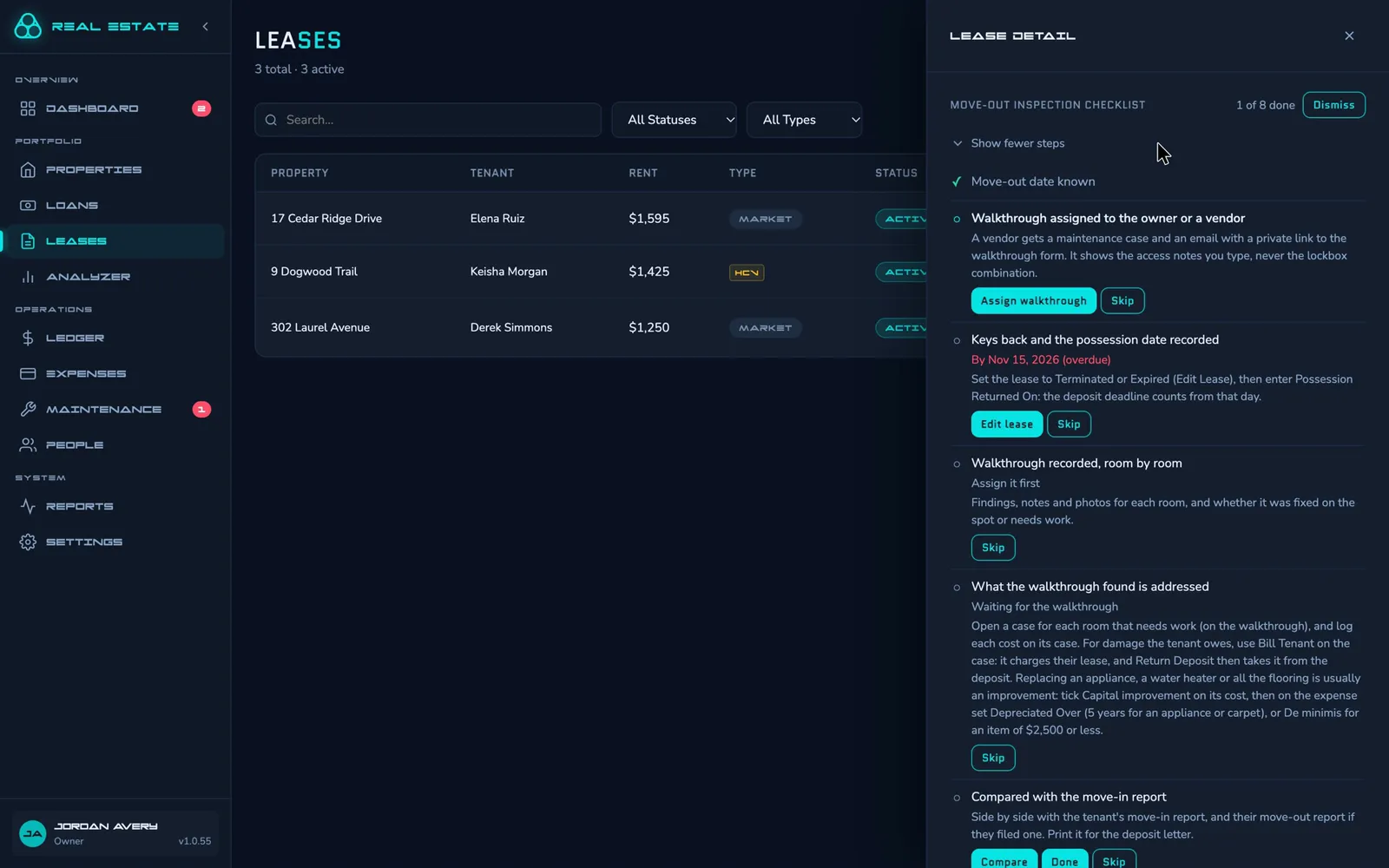
- Move-in and move-out checklists start when the work comes up: the move-in report's window opens, the tenant says they're moving out or the lease ends.
- A checklist whose last step is done in the records finishes itself.
- A consumable coming due opens a preventive maintenance case.
- A resolved repair the tenant doesn't answer counts as fixed after the days you set (7 unless you change it).
- Former tenants' portal access ends the number of days you set after their lease.
The morning email
What needs a person comes to you by email, one subject each, with a link to every lease, property or case it lists. You set the days and the address in Settings.
- Tenant payments overdue, and HAP payments still out on the day you choose.
- Leases ending and voucher recertifications coming up, 90, 60 and 30 days ahead.
- Reinspection deadlines, consumables due and home warranties expiring.
- Repairs past their response targets, and resolved ones with no cost logged.
- Security deposits: telling the tenant where it's held (North Carolina), and the return deadline.
- A digest of what tenants changed in the tenant portal.
Example: your inbox at 8 AM
- VoucherOS8:00 AMVoucherOS: 2 HAP Payment(s) Outstanding2 HCV leases have HAP payments still outstanding as of the 16th.
- VoucherOS8:00 AMVoucherOS: 1 Tenant Payment(s) Overdue1 tenant rent charge remains unpaid past the grace period.
- VoucherOS8:00 AMVoucherOS: HCV Recertification Due in 60 Days1 HCV lease has its annual recertification due in 60 days.
- VoucherOS8:00 AMVoucherOS: 2 Maintenance Case(s) Need Attention2 cases are past their response-time targets, have unanswered tenant or vendor activity, or are resolved without a cost logged.
- VoucherOS8:00 AMVoucherOS: 1 Consumable Replacement(s) Due1 consumable is due for replacement.
- VoucherOS8:00 AMVoucherOS: Tenant Portal Activity (2 tenants)What tenants changed on the portal in the past day.
Reminders to tenants
Each tenant chooses their own email reminders in the tenant portal.
- Rent coming due, a day ahead unless they choose otherwise, and rent overdue.
- The lease ending, 60 days ahead unless they choose otherwise.
- An inspection a week ahead.
- A condition report not yet submitted, three days before its window closes.
A checklist for every move
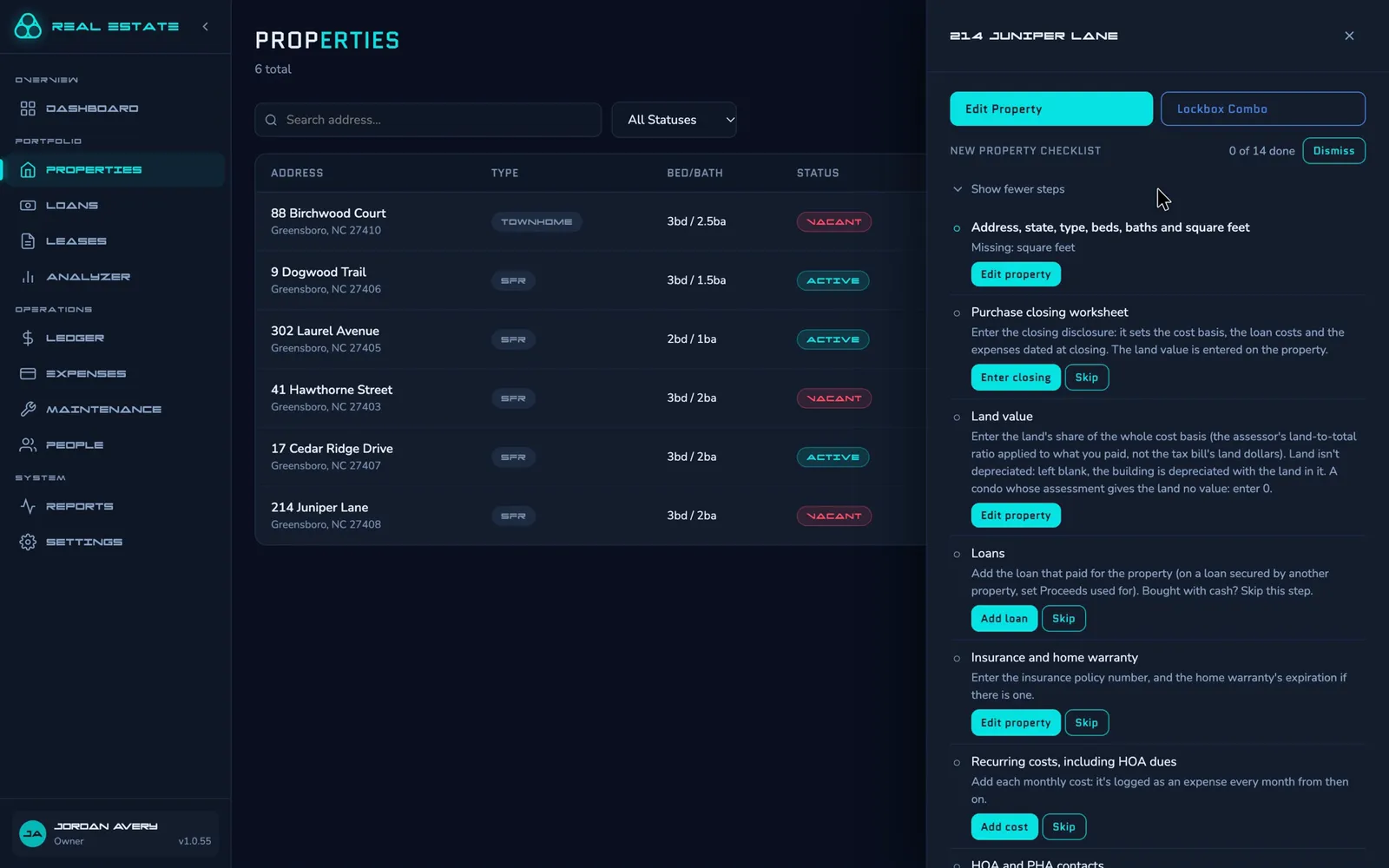
- New property, new tenant, move-in, move-out and HAP inspection checklists start on their own: adding a property, an application coming in or an inspection being scheduled starts its checklist.
- Each step reads your records and says what's missing, so work done anywhere in the app counts.
- An application still without a lease after 30 days (unless you change it) has its checklist dismissed.
- Change the steps to fit how you work at Settings → Checklists. Steps that can't be skipped, like the land value and the HAP contract, can be moved but not removed or renamed.
Your own automations
Webhooks tell your own tools when a payment is logged, a charge is added, a lease or case changes, an expense or person is added, a document is added, or a tenant answers about their plans. Each delivery is signed and retried if your end is down.
More on the API and webhooks →